Resource Management
Know who's overcommitted before they tell you, and whether you have capacity for the next initiative before you commit to it. Altus draws resource data from every scheduling tool your teams already use into one picture you can trust.

Enterprise-grade PPM software
Remove silos, manage resources and timesheets, track strategic goals, and gain a reliable single source of truth across all your projects and portfolios.
Near-term visibility, long-term confidence
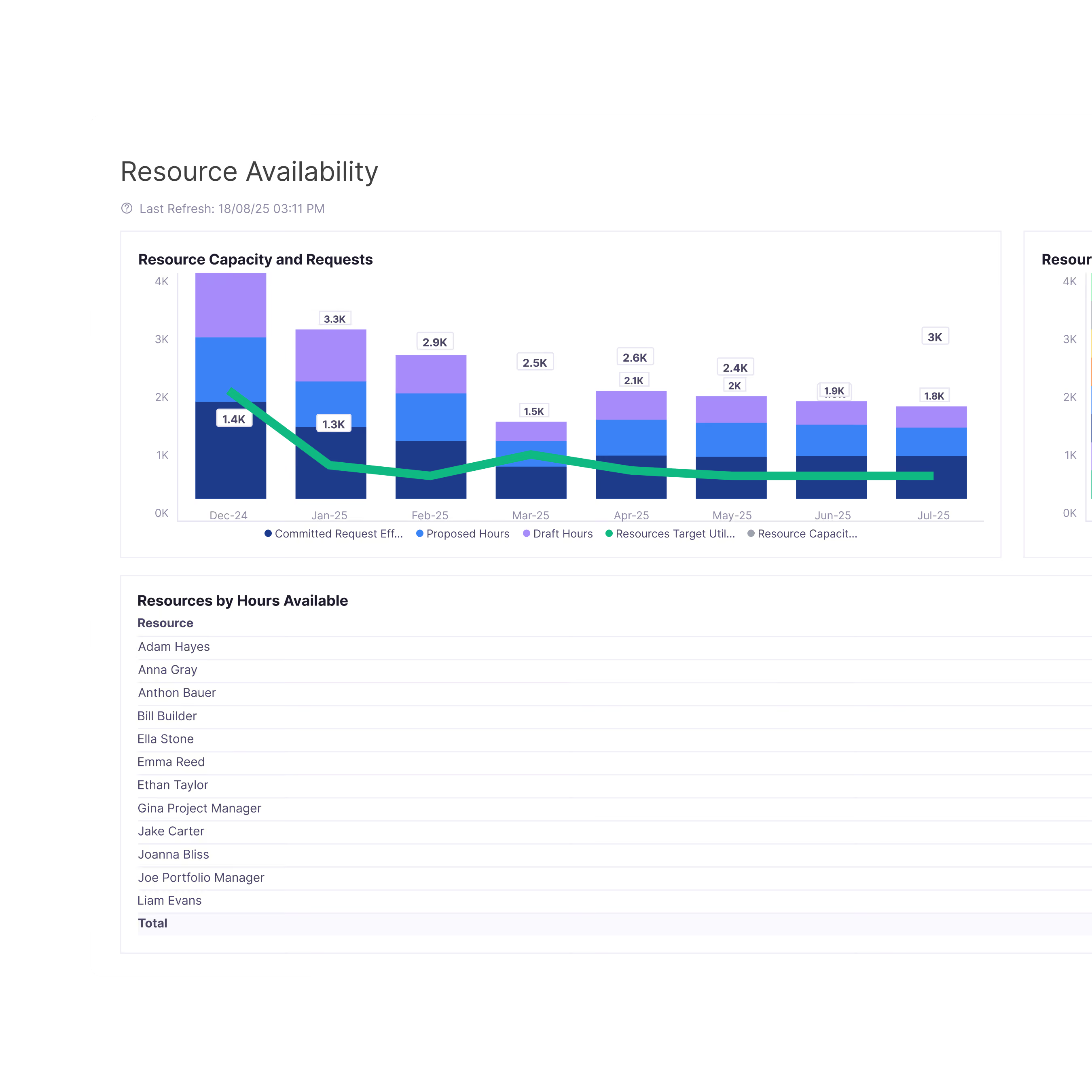
Knowing who's busy this week is the easy part. The harder problem is whether you have capacity to deliver what you've committed to six or twelve months out. Altus gives you both views, connected.
One resource pool across every scheduling tool
A developer committed in Jira shouldn't appear as available in Project Desktop. Altus pulls every allocation into a single resource pool, so when a conflict exists, you see it before the project manager finds out the hard way.
Timesheets that close the loop
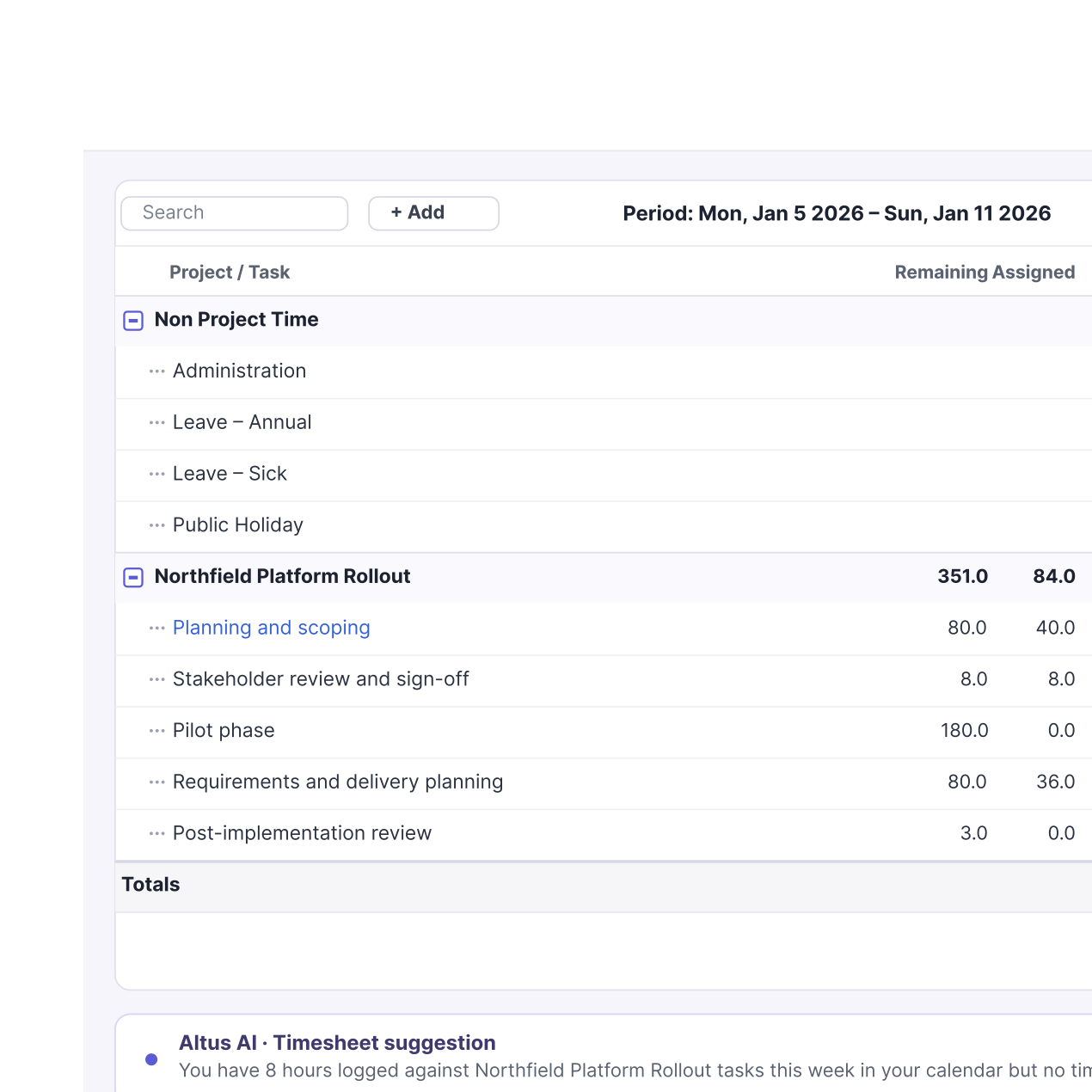
A resource plan built on estimates and never tested against reality is an optimistic guess. Altus timesheets capture actual hours and feed them back into your planning automatically. Over time, your organisation stops repeating the same mistakes.
testimonials
The bottom line is, we’re seeing the data we want to see. Things like forecast versus investment plan value, allocations, progress, status, resource utilisation. Where once it would take days, it’s now a few clicks, a screenshot and I can bring executives up to speed on progress.

AI-driven PPM for Microsoft 365
Copilot enabled, future ready
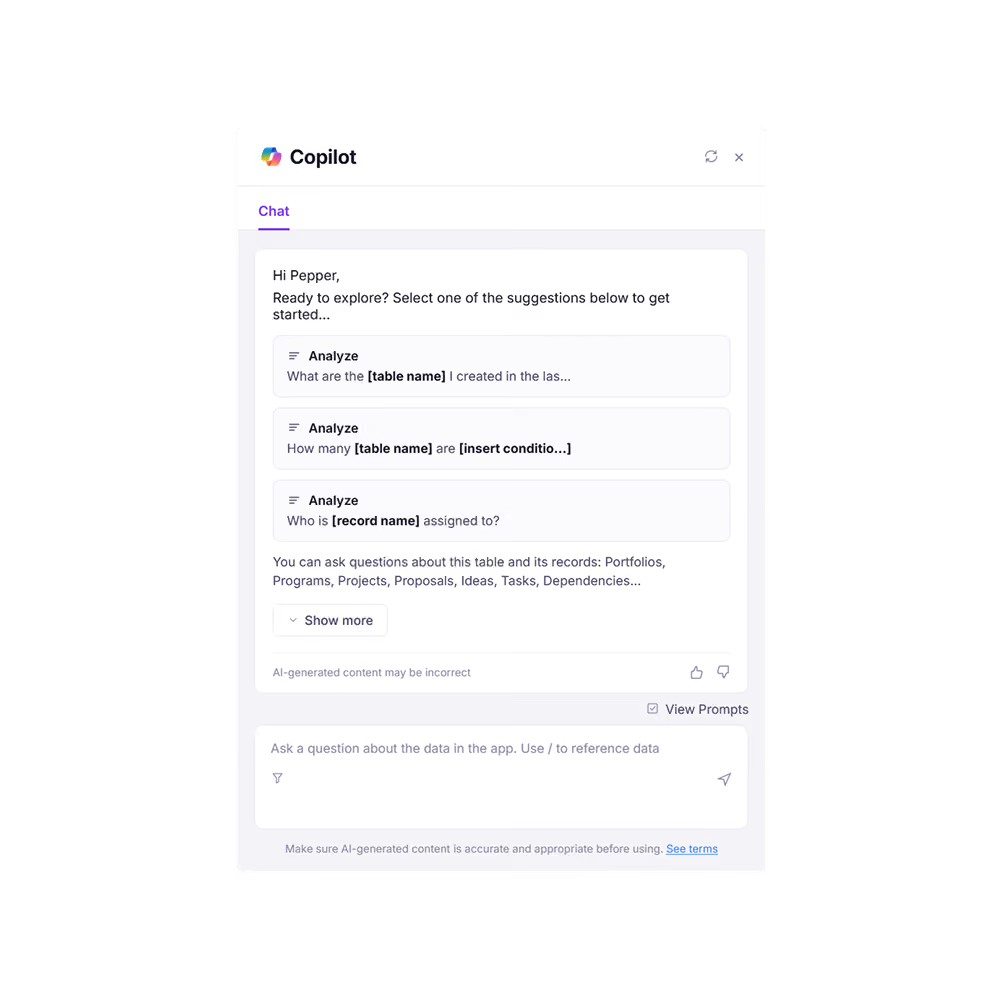
Altus is built for the future of project management, with Microsoft Copilot enabled. Intelligent AI automation enables you to eliminate administrative burden and focus on delivering value through your projects. Best of all, it’s deployed securely within your Microsoft tenant.
features
Full of the features you need for resource management

Resource heatmap
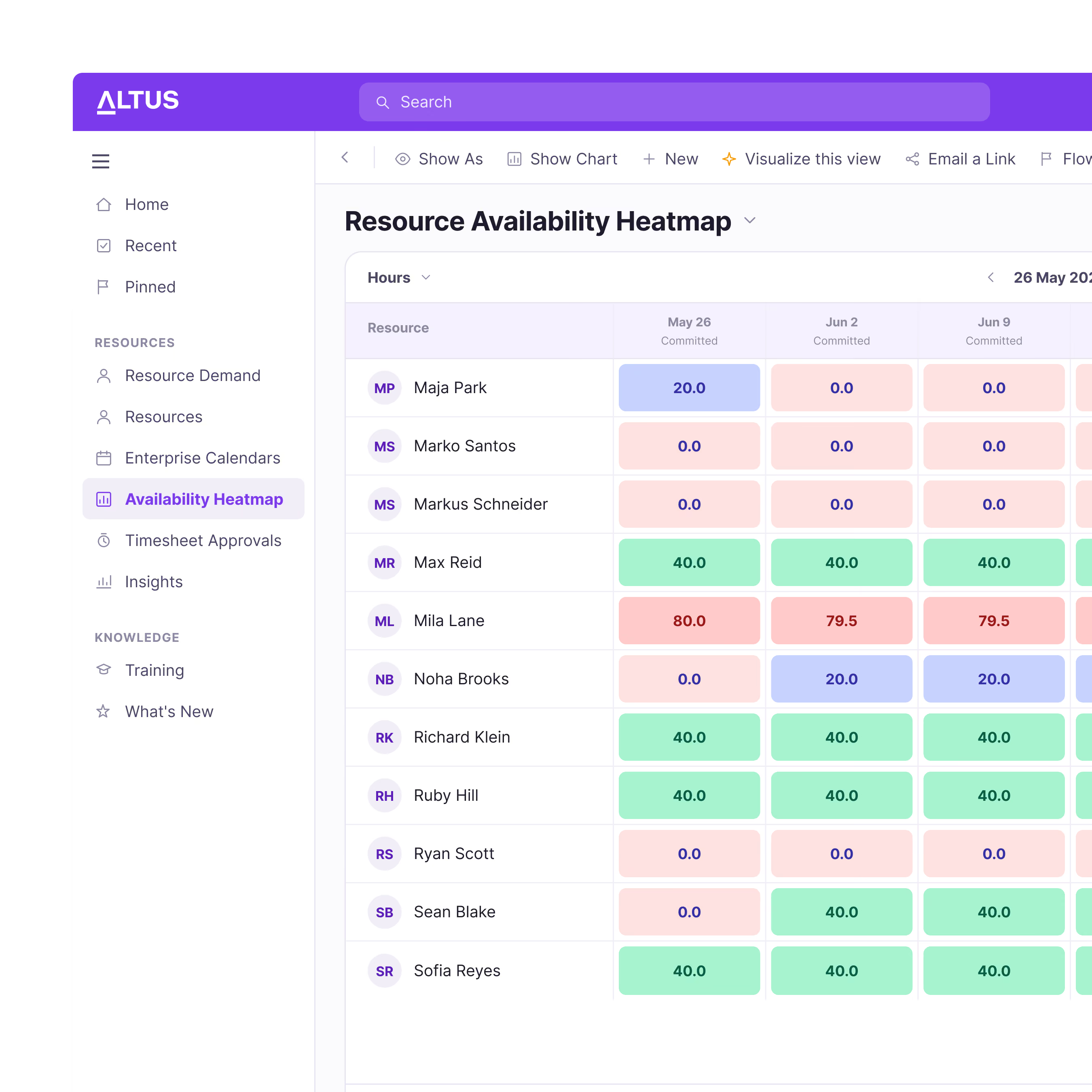
See your entire resource pool in one view. Spot over-commitment and capacity gaps before they affect delivery, and make resourcing decisions on current information rather than last month's spreadsheet.

Capacity & demand management
Map what you need to deliver against what you can realistically deliver. Forecast demand by role or skill, and make hiring decisions based on evidence, before the gap becomes a crisis.

Timesheet management
Capture actuals in Altus or directly in Microsoft Teams. Timesheet data syncs with MS Project Desktop automatically. No manual reconciliation, one source of truth.

Resource bookings & approvals
Request, approve, and manage allocations through a structured workflow. Every commitment is visible, tracked, and auditable.

Automated resource planning
Assign resources to tasks and Altus builds the resource plan automatically. When tasks change, the plan updates. It keeps itself current.

Global resource pool
A single organisation-wide pool accessible from Altus and directly from MS Project Desktop. Whether a project runs in Project, Planner, or Jira, every team works from the same picture of who's available.

Utilisation dashboards
See who's allocated to what this week and in the coming weeks. Give resource managers the visibility they need to stay ahead of workload problems rather than firefighting them.

Workforce planning
Work back from your strategic portfolio to understand what skills you'll need months from now. Know which roles to hire, which to contract, and when to have them in place.
Frequently Asked Questions
How does Altus manage resources across different scheduling tools?
Altus maintains a single resource pool that spans every connected scheduling tool: MS Project Desktop, Planner, Jira, Azure DevOps, and others. Allocations made in any of them flow into the same view, so the PMO sees who's committed to what across the portfolio without reconciling separate systems.
Can Altus timesheets sync with MS Project Desktop?
Yes. Timesheet actuals sync directly back to MS Project Desktop, updating hours and costs automatically. You can also compare actuals against the original plan, and when estimates consistently miss, that comparison is where you find out why.
Does Altus support both near-term and long-term resource planning?
Yes, and treating them as the same problem is one of the most common resource management mistakes. Near-term planning gives operational visibility: who's allocated, to what, and where conflicts exist this week. Long-term planning works at a higher level, with capacity by skill category mapped against your strategic portfolio to inform workforce decisions months before the work arrives.
Interested? Schedule your demo today
Find out how Altus can level up your project management with just a 30 minute demo.